Move dey change where something dey, no be wetin e hold. Comments, replies, files, history, project keys and di embed code all go stay. Only admins fit move things, and dem no dey copy anything: di project or workspace dey comot from im old place.
Move project go another workspace
- Open di project page.
- For di card Move go another workspace, pick di New workspace and press Continue.
- Check di page: e dey list di client people of di old workspace wey go lose access and di client people of di new workspace wey go gain am. Your team dey keep access.
- Press Move project.
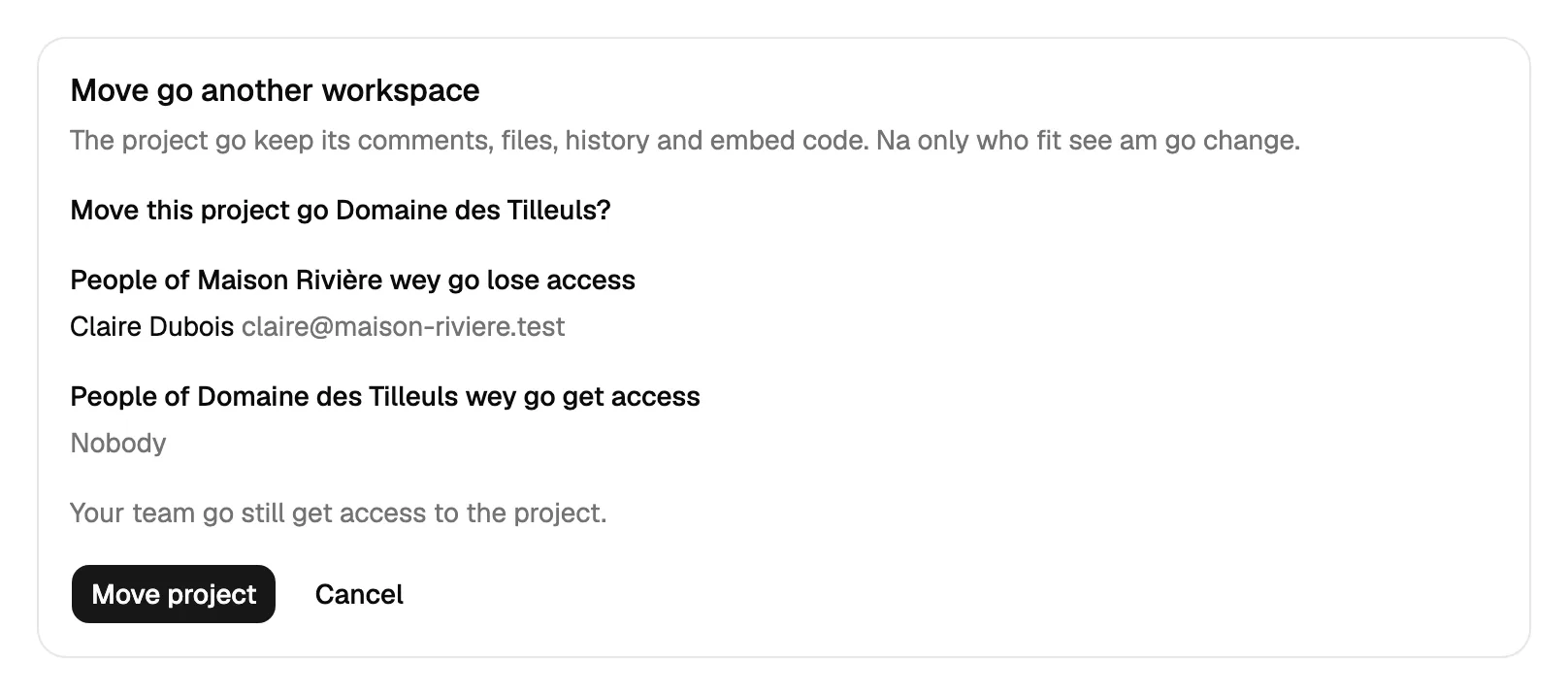
Di project dey keep im id, key, comments, files and referral code, so di widget wey don already dey for di website go still dey work and you no go touch di website. Di card dey show only when your organization get at least two workspaces.
Move workspace go another organization
You must be admin of both organizations. Open di Settings tab of di workspace, find Move go another organization, pick di Target organization and press Continue. Di preview go show:
- di projects wey dey move and how many comments go with dem, with replies and files;
- di client people of di workspace wey go follow: dem go keep dia access and dem go get one email;
- di team members wey you fit tick to invite go di target organization. Dem work for dis workspace comments. People wey you tick go get normal invite as members (you fit promote dem later); di others go stay for di old organization only;
- agent tokens wey dem limit to project wey move, wey go stop to work;
- di open assignments to people wey no dey di target organization: dem go clear dem for comments wey no close.
Then press Move workspace. Webhooks and integrations go stay for di old organization. Di widget wey dem install go keep working without change.
Di plan limits of di target go apply. Di free plan get room for one workspace only and one public address for each project, so move go free organization go fail when e don already get im workspace or when project wey dey move get more than one public address. Target wey never get plan, or wey payment miss, go be read-only until e get plan: di preview go talk am, with button to upgrade dat organization, as e dey do when di target no get room. Organization wey dem suspend, source or target, go refuse di move.
Agents fit only ask
AI agent no fit move anything by itself. E dey call request_move; you go get email, open di page wey e link to while you don log in and press Confirm the move or Cancel. For dat page you go also choose which team members to invite. Di request dey expire after 24 hours, and di agent dey follow am with get_move_request. Requests dey count against di daily setup limit of di agent. See Connect an AI agent.