Every comment has a status and can have one person assigned. Your team can also talk under a comment without the client seeing it.
The four statuses
- Open: new, nobody works on it yet.
- In progress: someone is on it.
- Done: fixed. The client should check it.
- Closed: checked and finished.
The agency team can set any status. Clients can Close a comment, and Reopen one that is Done or Closed. A usual path: Open → In progress → Done → the client checks → Closed.
Change the status and the assignee
In the dashboard:
- Open the comment from the Inbox.
- In the Work card, choose the Status and who to Assign to.
- Press Save.
On the site, open Comments in the review tools. Under each comment, agency people have the same two menus. Only agency people can be assigned.
To change many comments at once, tick them in the Inbox list. Choose Set status and Assign to, then press Apply.
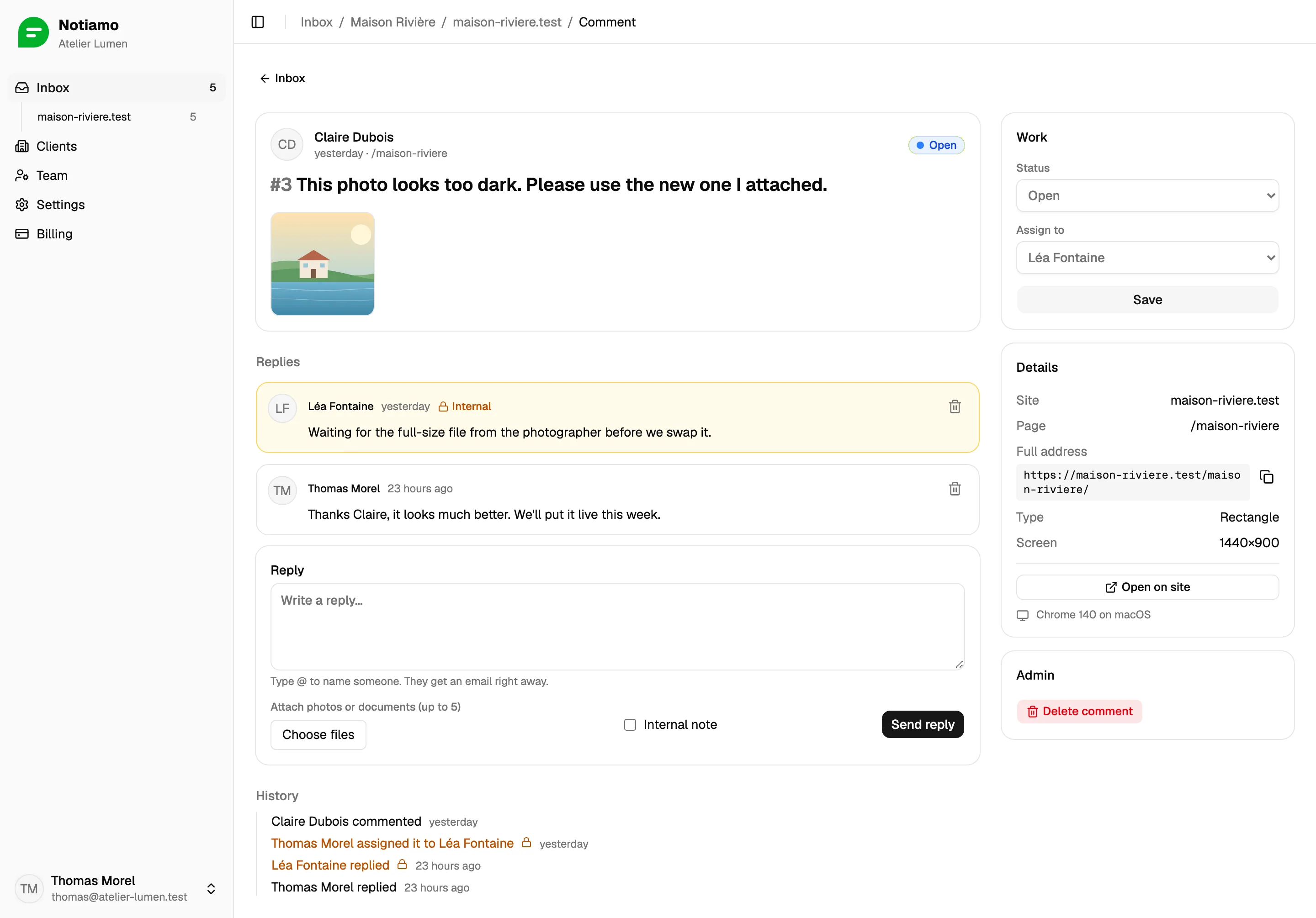
Write an internal note
- Write your reply under the comment.
- Tick Internal note.
- Press Send reply (dashboard) or Reply (on the site).
Internal notes are marked Internal. Clients never see them: not on the site, not in the dashboard, not in their emails. Webhooks do include them, because webhooks go to the agency.
Work through the Inbox
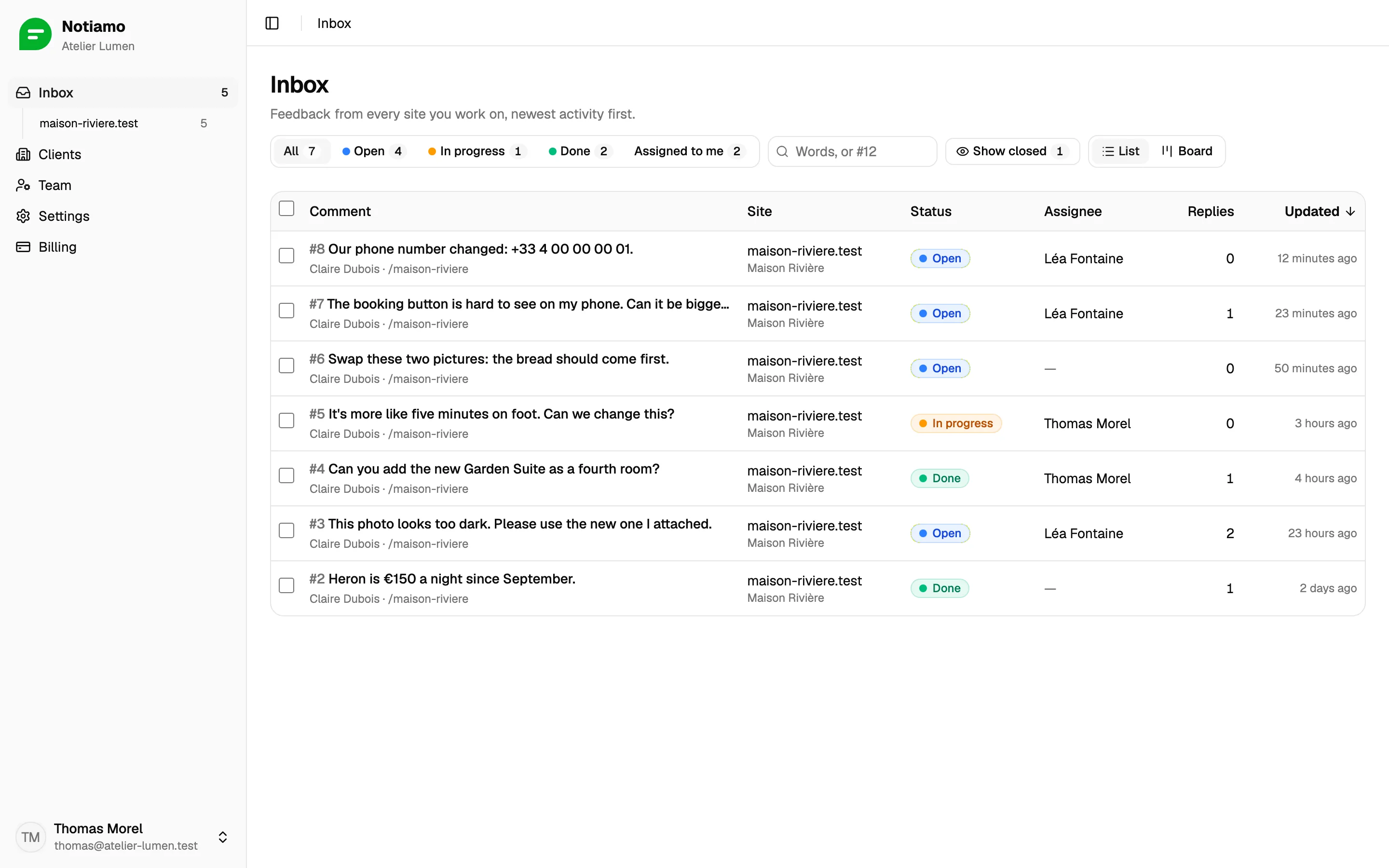
The Inbox lists comments from every site, newest activity first.
- Filter by client, site or status, or press Assigned to me.
- Search with words, or with a number such as
#12. - Closed comments are hidden; press Show closed to see them.
- Switch to Board to see one column per status. Drag a card into another column to change its status.
History and issues
The comment page keeps a History of every change: who commented, replied, changed the status or assigned it.
If your team uses an issue tracker, the Issue card can copy the comment as issue text. Paste the link of the new issue back with Save link.