Notiamo has an MCP server. An AI agent connected to it can list the comments of a site, read one with its screenshot and photos, reply, change the status and assign it. You stay in charge: the agent works with a token you create and can revoke at any time.
Agent tokens are for the agency team. Clients do not see this part.
Create a token
- In the sidebar, open Settings. Find the Agent tokens card.
- Give the token a Token name, for example “Laptop – Claude Code”.
- Choose the Access: Full (can reply and change status) or Read-only.
- Choose the Site: All my sites, or one site only. A token limited to one site sees nothing of the others.
- Choose when it Expires: Never, 30 days or 90 days.
- Press Create token and copy it. It is shown only once.
A token acts as you. Keep it like a password.
Connect Claude Code
After you create the token, the card shows the full command, ready to copy. Run it once in a terminal:
claude mcp add --scope user --transport http notiamo https://my.notiamo.com/api/mcp --header "Authorization: Bearer YOUR_TOKEN"With --scope user the connection works in all your projects. Without it, it only works in the folder where you ran it.
Then restart Claude Code. In the project folder of a site, ask: “Show the open Notiamo feedback for this site.” Or run the prompt /mcp__notiamo__work_on_feedback. It walks the agent through the comments one by one: start, fix, reply, mark done. The agent never closes a comment; the client checks and closes it.
If you connected before Notiamo had its current name, remove the old connection first with claude mcp remove sitereview.
Connect Cursor and other agents
Add an HTTP MCP server with the address https://my.notiamo.com/api/mcp and the header Authorization: Bearer YOUR_TOKEN.
How the agent finds the right site
The agent looks for the file .notiamo.json in the project folder. Download it from the site page in Notiamo with Download .notiamo.json, or let the AI prompt create it (see Install the widget). Without that file, the agent can match the project’s git address with the site’s Code repository setting.
What people see
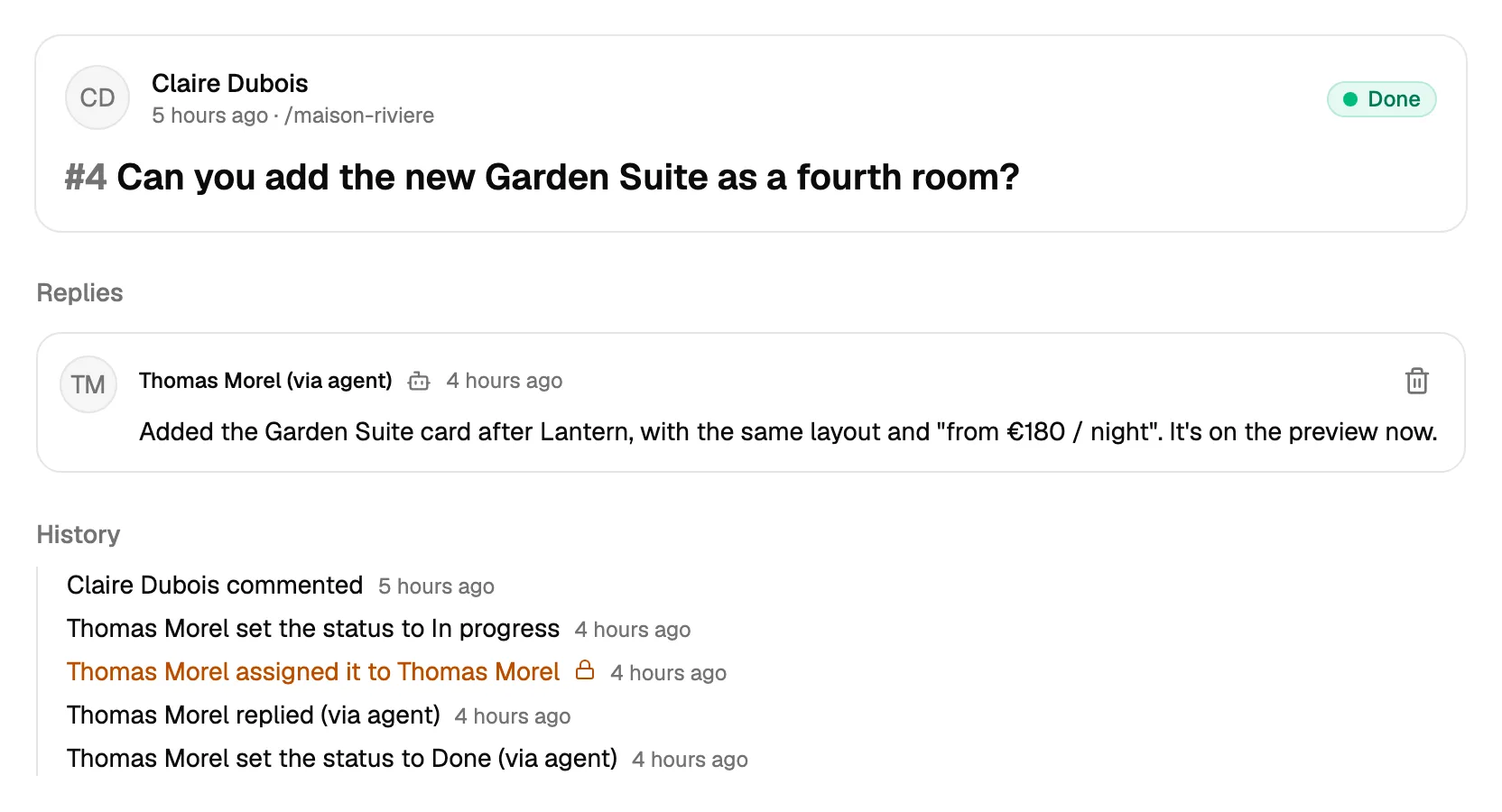
Replies written by an agent are marked (via agent) for your team. The client sees a normal reply. The agent can write internal notes too, for technical details.
Stop an agent
Press Revoke next to the token in Settings. Any agent using it stops working at once.